How to Generate 300 Leads in 20 Minutes with Google Maps API + n8n
By Grace Vaughn · June 1, 2026
In this post, I’ll show you step by step how I used the Google Maps API, n8n, and Google Sheets to automate local lead scraping.
If you like this type of content, follow me on Medium and comment below a problem or task you need help with automating on n8n, and I’ll post a build for it in the next article.
First, the context…
The Struggle
I wanted to find local businesses around my city who did not already have a website. That way, I could create a website for them and pitch them on it.
I started off by just manually scrolling through Google Maps and clicking on random businesses to check if they had a website or not… This got me a few leads but took me an hour just to find one or two businesses.
Then, I researched YouTube to find tutorials on how to do lead scraping with Google Maps and n8n… some of them helped.
There was a tutorial on how to use a Google Chrome extension called Instant Data Scraper to do the job — however, I decided against it, because I didn’t want to manually search for a keyword each time I had a new query.
There was another YouTube video by Nick Saraev which was really good, showing how to scrape leads with n8n using an HTTP GET request. But the problem with that is the risk of having Google blacklist you for scraping their results pages.
Which led me to a ChatGPT-made suggestion that I use the Google Maps API along with n8n… and that’s exactly what I did.
What We Will Do
- Create a Google sheet tab with all the queries we want to search for
- Signup for Google Cloud Platform and enable the Google Maps API
- Setup a Google sheet tab with all the data fields we want to capture
- Build the n8n workflow
The Step by Step Build
1. Create the Google Sheet tab for queries
First, create a new Google sheet, name the tab Queries, and enter in a list of queries to search leads for while including the region / city name.
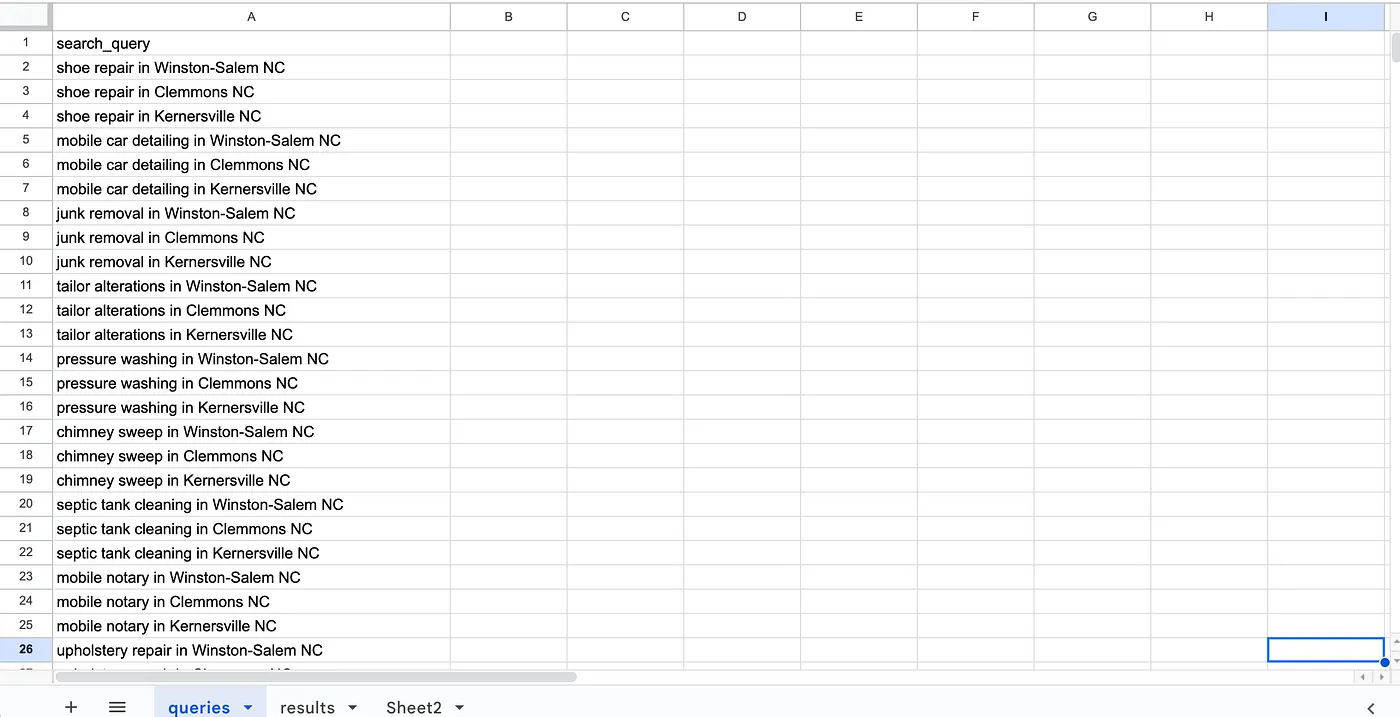
Tab for search queries to use
Quick tip: You can use ChatGPT to help you come up with this list — just ask it to give you a list of different local businesses you’d like to search for and combine it with a list of different cities / towns you’d like to use.
It will give you a complete list with the different businesses multiplied by the cities / towns.
2. Sign up for Google Cloud Platform and enable the Google Maps API
Make sure to sign up for GCP and that you can log into the console. Then enable the Places API for Google Maps here.
3. Set up a Google sheet tab with all the data fields we want to capture
Next, in the same Google Sheet you created in step 1, add a new tab and enter in the following fields into the first row:
- placeId
- name
- formattedAddress
- googleMapsUrl
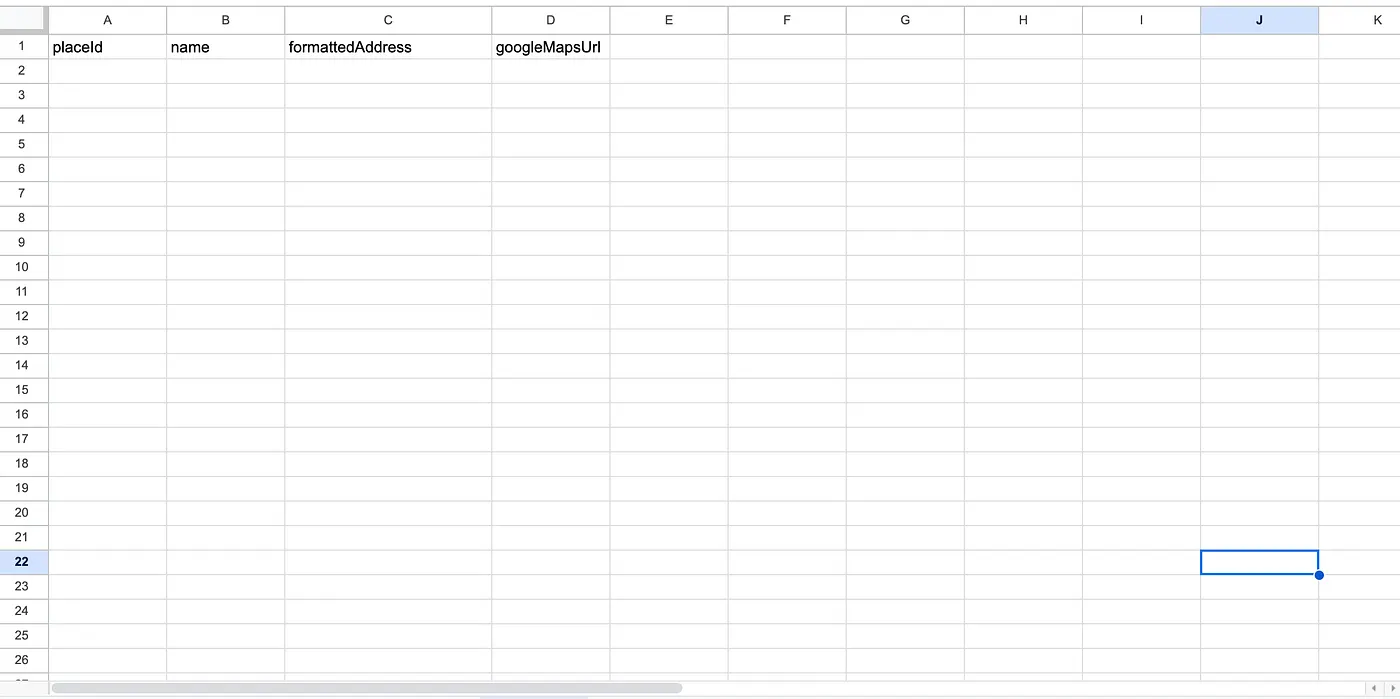
Sample sheet of where data from Google Maps will land
4. Build the n8n workflow
Next, we’ll build the actual n8n workflow.
Sign up for n8n.io here (not an affiliate link).
Create a new workflow.
Here are the nodes to add:
Trigger Manual
2. Google Sheets node — connect this to your queries sheet
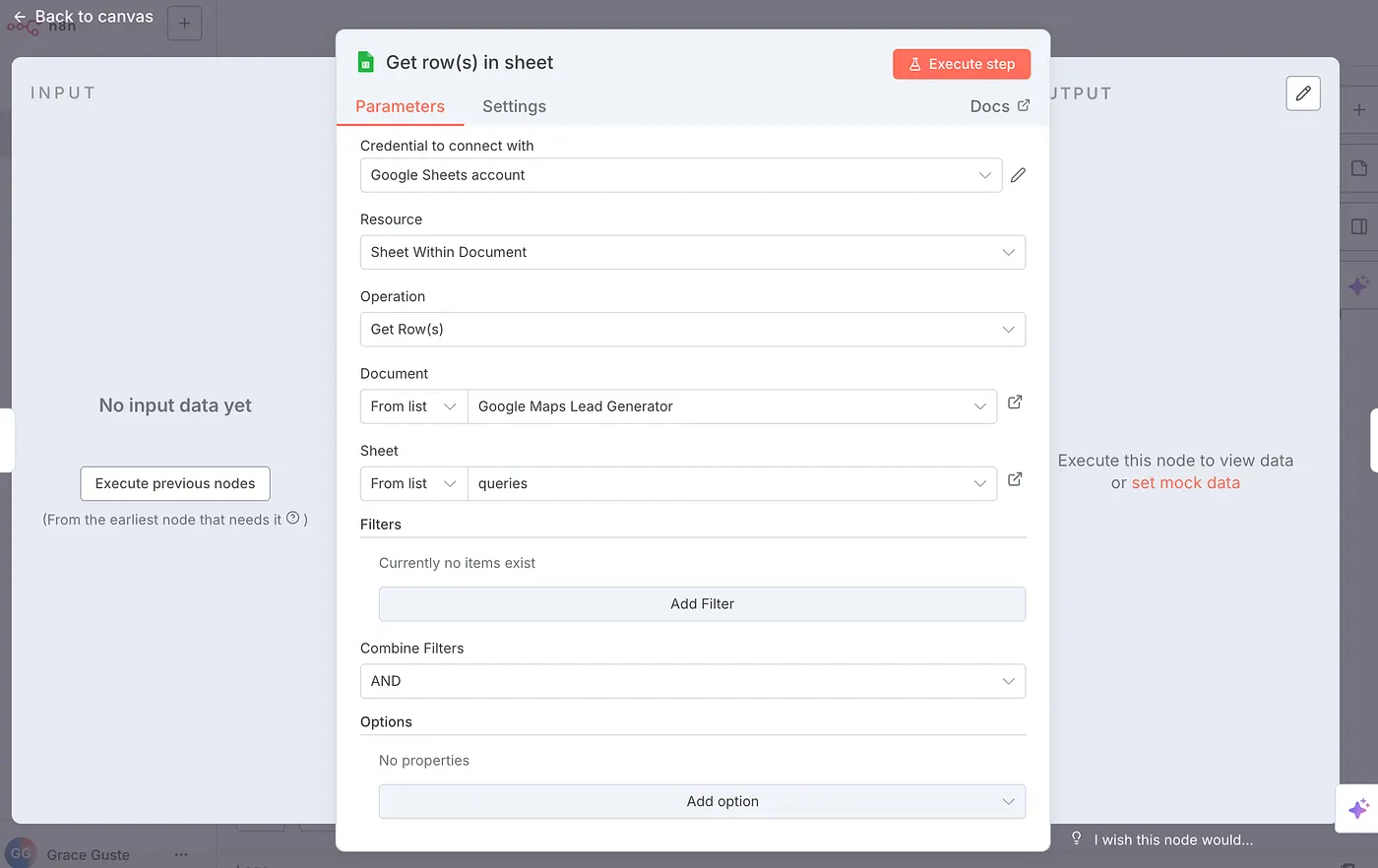
Use the Google Sheets node to use all the queries from your sheet in the n8n workflow
3. HTTP POST Request Node
- URL:
https://places.googleapis.com/v1/places:searchText - Auth: None
- Send Headers: Yes
- Send Body: Yes
Header Parameters:
X-Goog-Api-Key: {Enter your API Key here from GCP Google Maps API}X-Goog-FieldMask:places.displayName,places.formattedAddress,places.priceLevel,places.websiteUri,places.id
Body Parameters:
textQuery:{{ $json.search_query }}← This will be specific to your n8n query field from Google Sheets
4. Split Out Node
This node will take a list of items as input and return them as separate items instead of one big list.
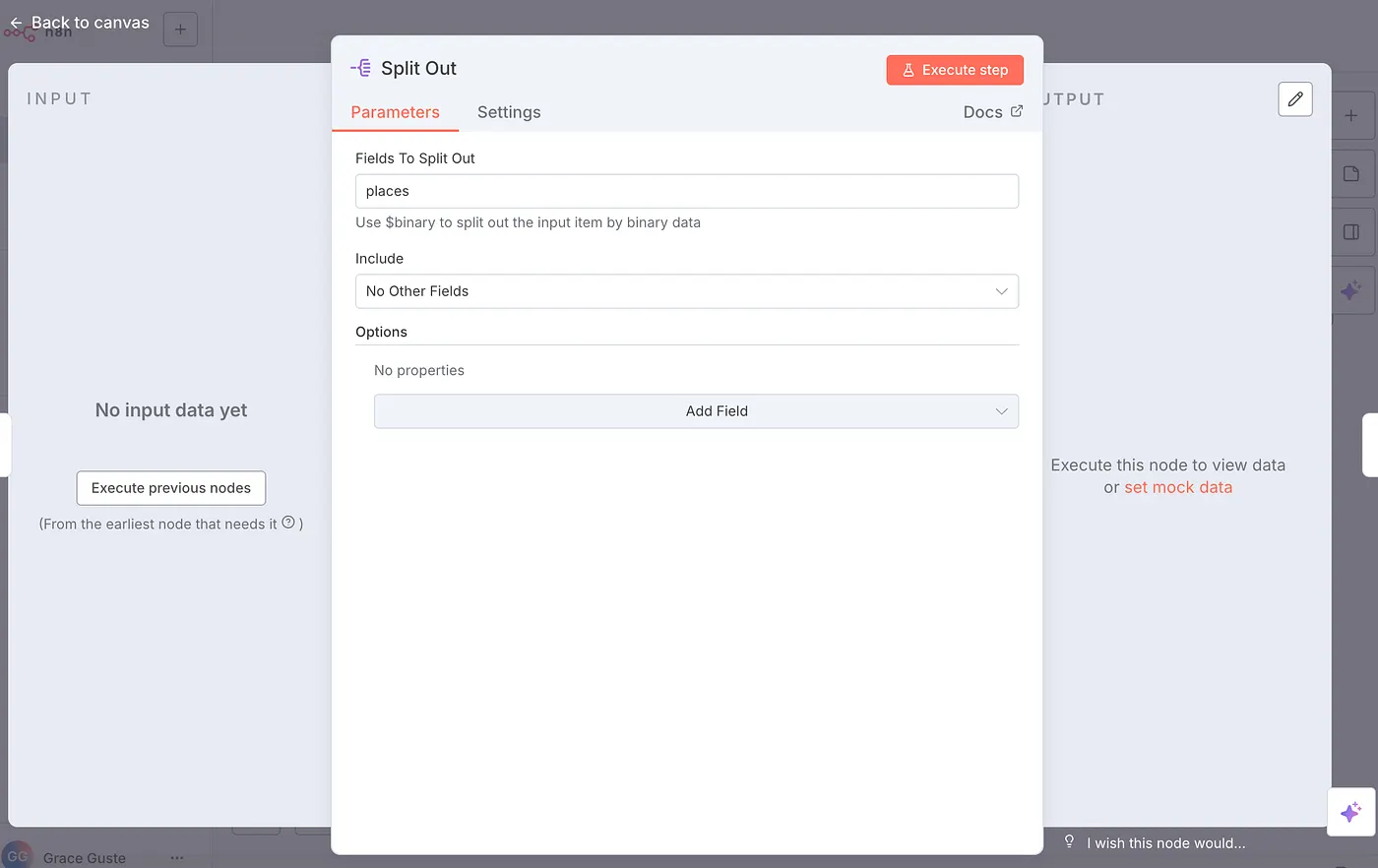
Use Split Out node to separate out all the items in one list into separate items.
5. Filter Node
Add a filter where the websiteUri field does not exist.
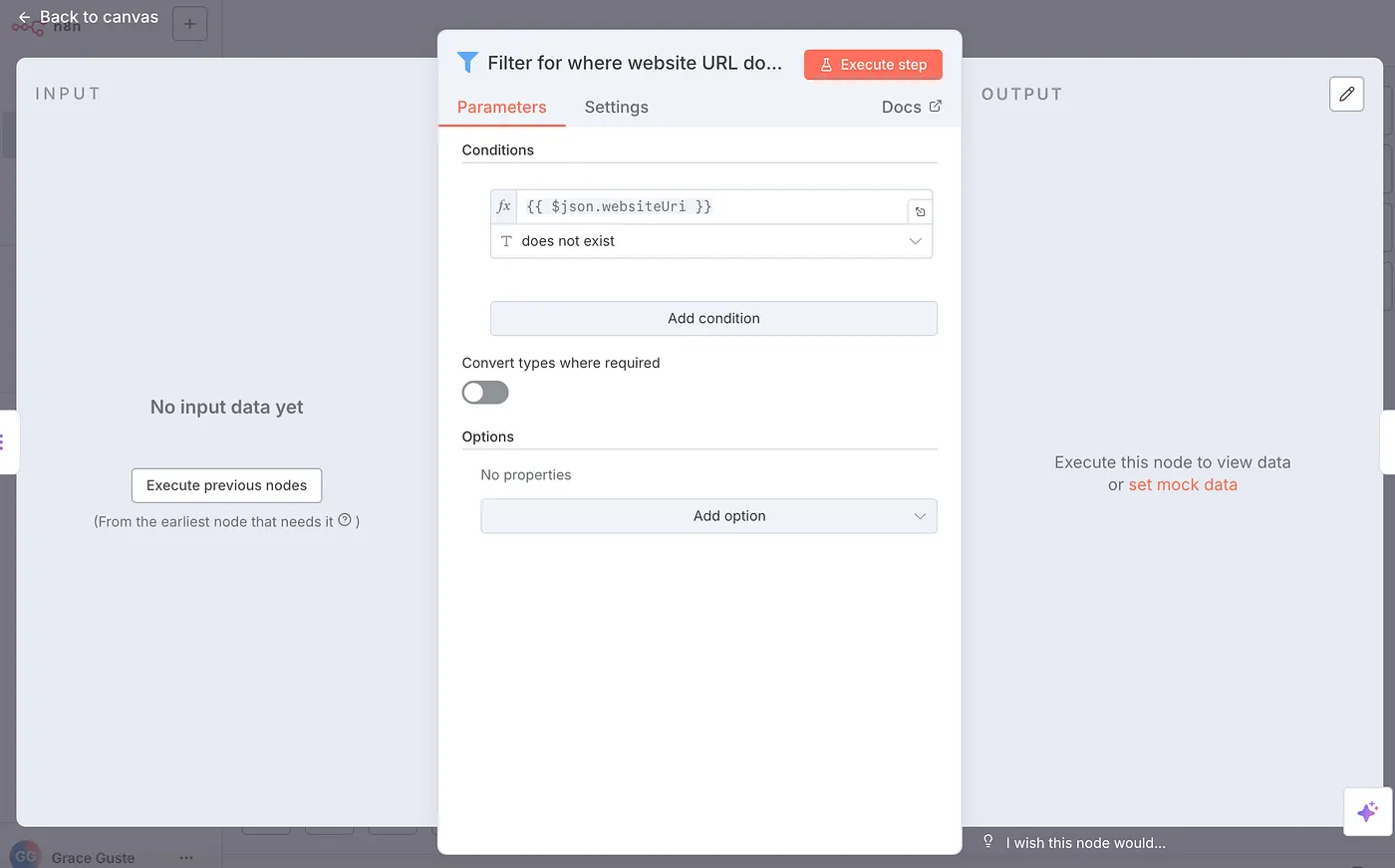
Use the Filter node to filter out businesses that have no website
6. Google Sheet Node
This node will take the info you captured from the Google Maps API and insert it into your sheets tab.
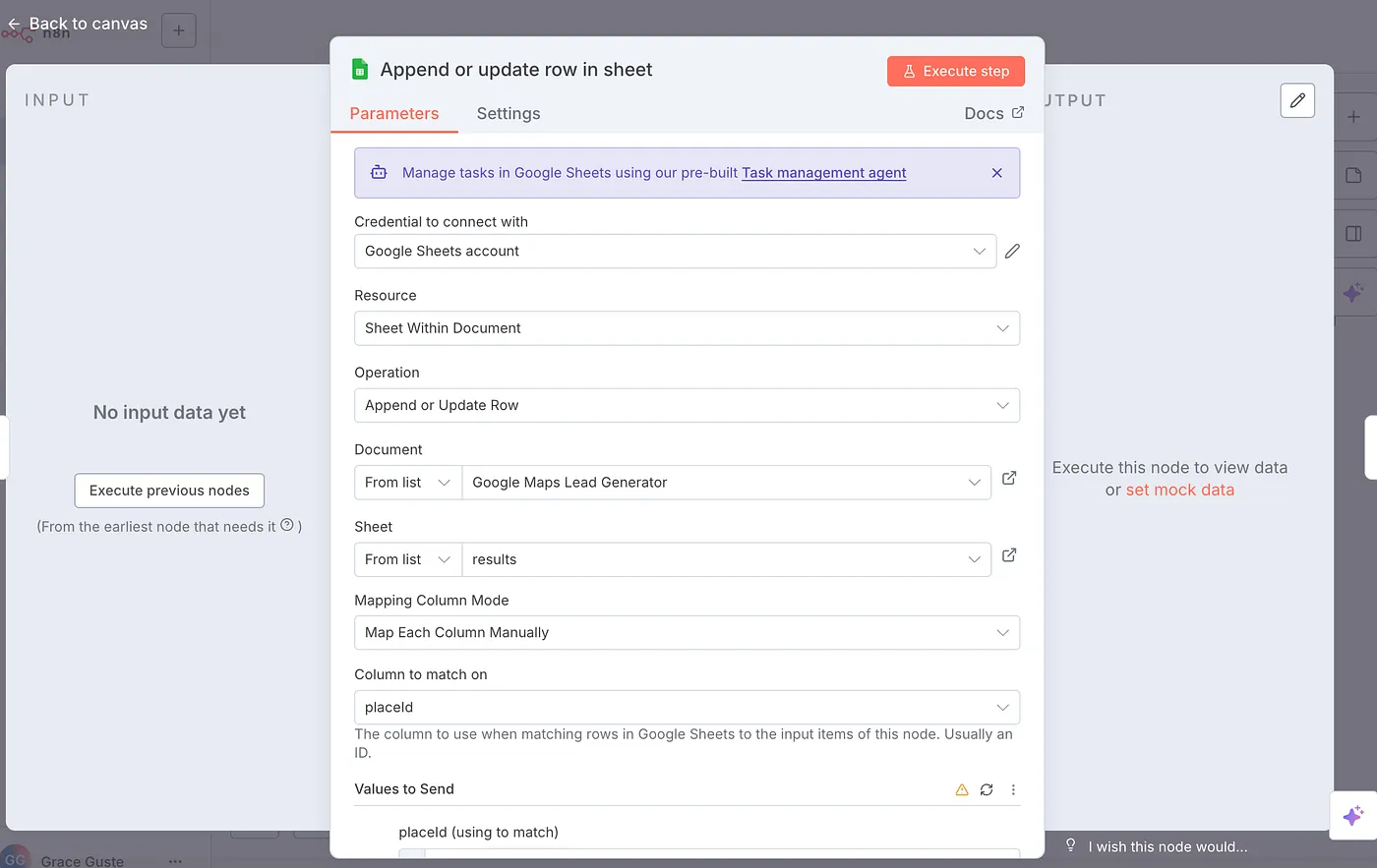
Use this Google Sheets node to insert new rows of data scraped from Google Maps API
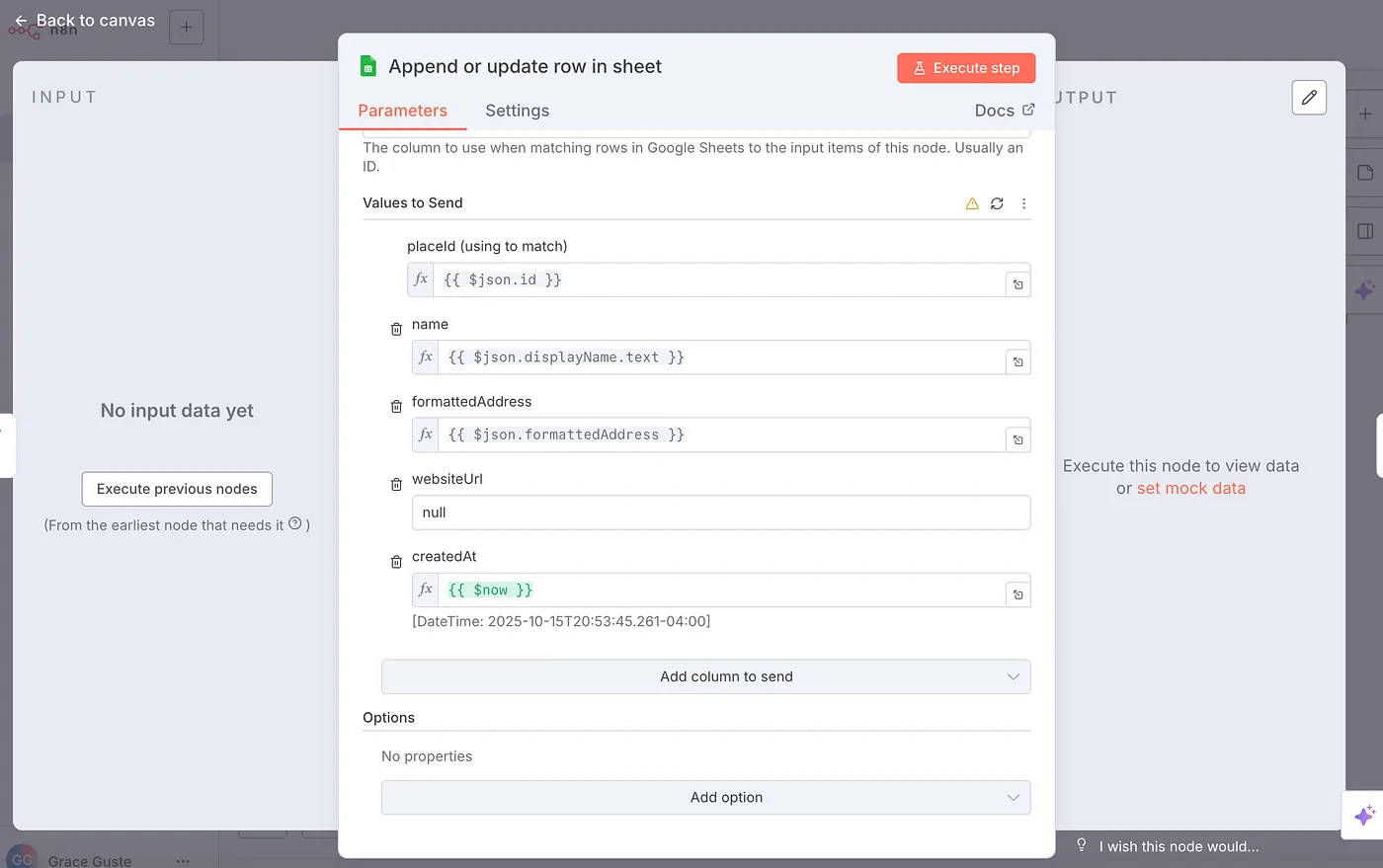
This Google Sheets node shows how to insert JSON as dynamic values into the Sheet
At the end of it all, you should have a final doc with results after executing the flow:
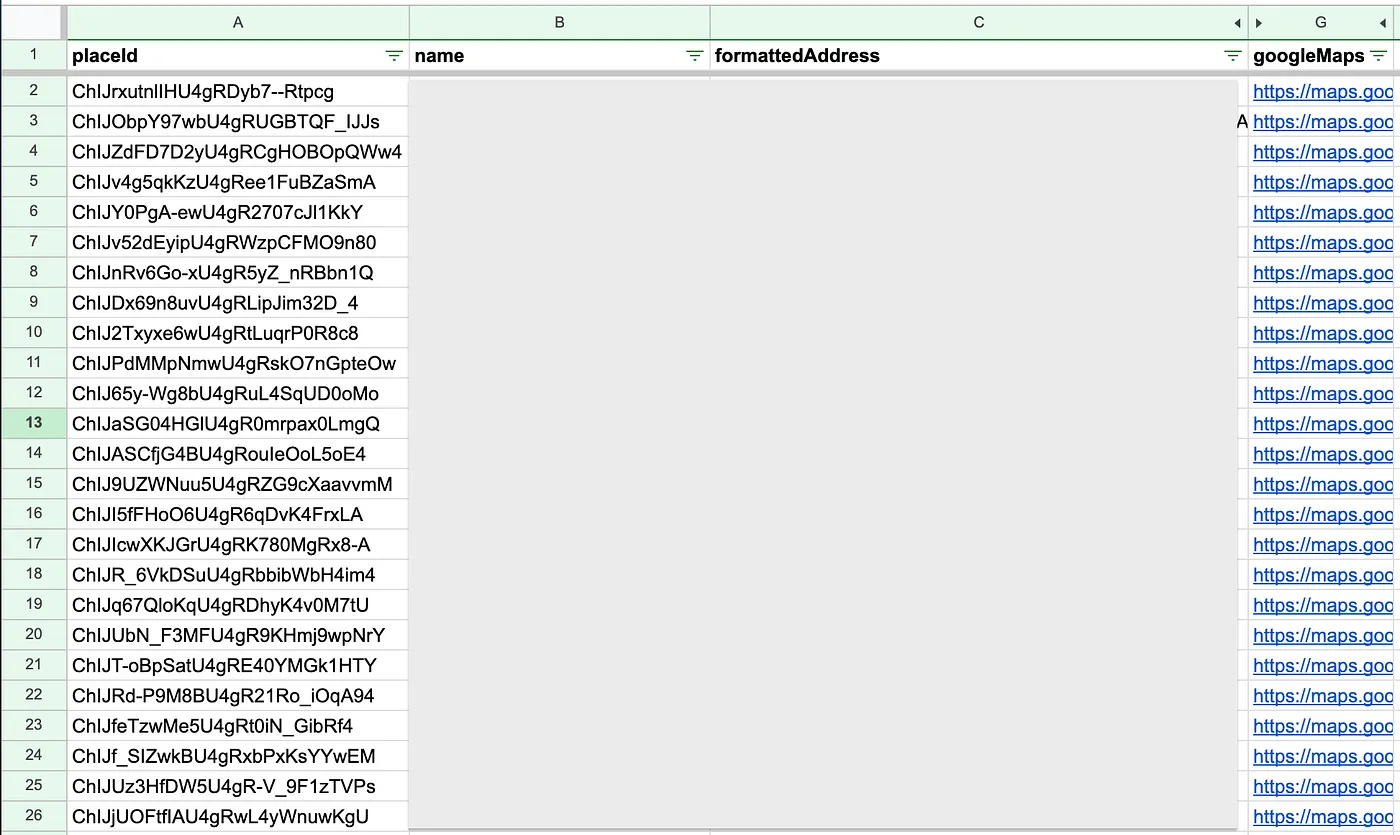
Final doc of results pulled from Google Maps API
Lessons & Insights
This automation worked for me and resulted in pulling about ~300 quality leads in about 20 minutes — all just with the push of a button.
This flow can also be adapted to pull in different types of data from Google Maps. This documentation from Google shows you what types of data you can pull from the API.
Want the n8n JSON Template?
If you’d like the copy-pastable n8n JSON template, comment below and I’ll post a link to it in my next article.
Get the next playbook in your inbox
Practical automation systems for agency owners. No fluff.
No spam. Unsubscribe anytime.